
Petasos + Iris · one login, two superpowers

Reach thousands.
Answer every one.

Petasos sends your WhatsApp campaigns — personalised, scheduled and traceable message by message. Iris turns every reply into a shared team inbox. One platform, one login, built for teams that run on WhatsApp.

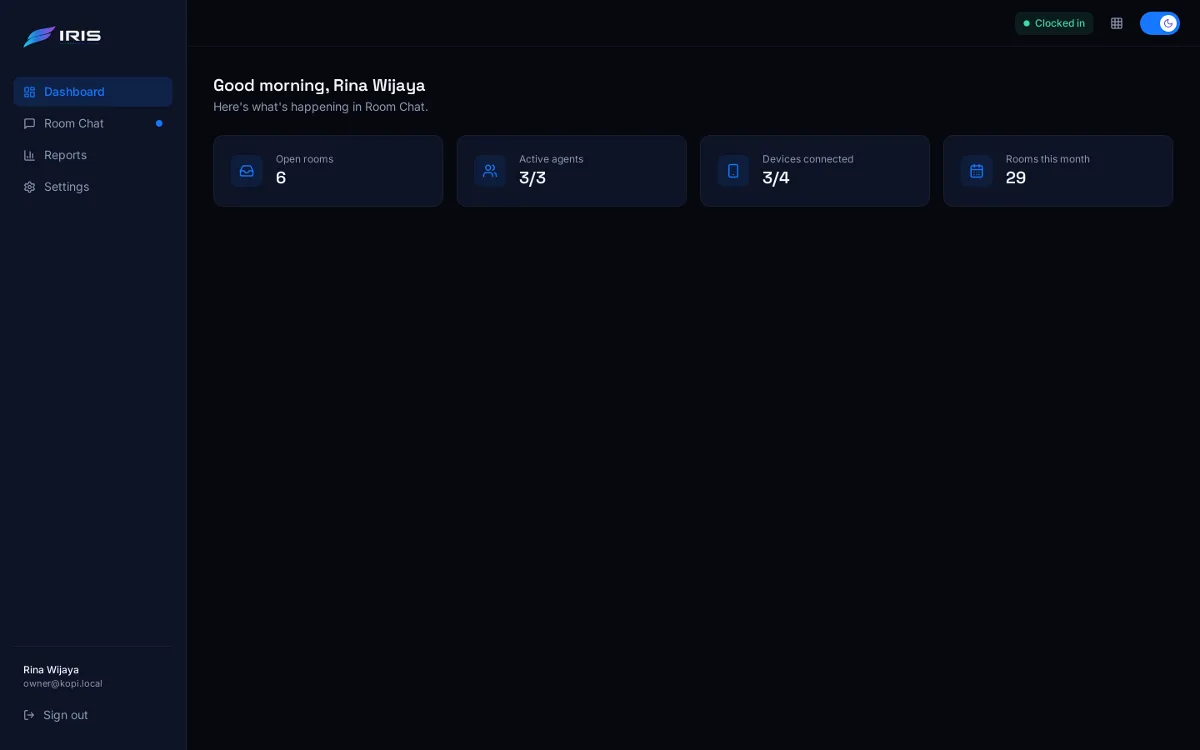
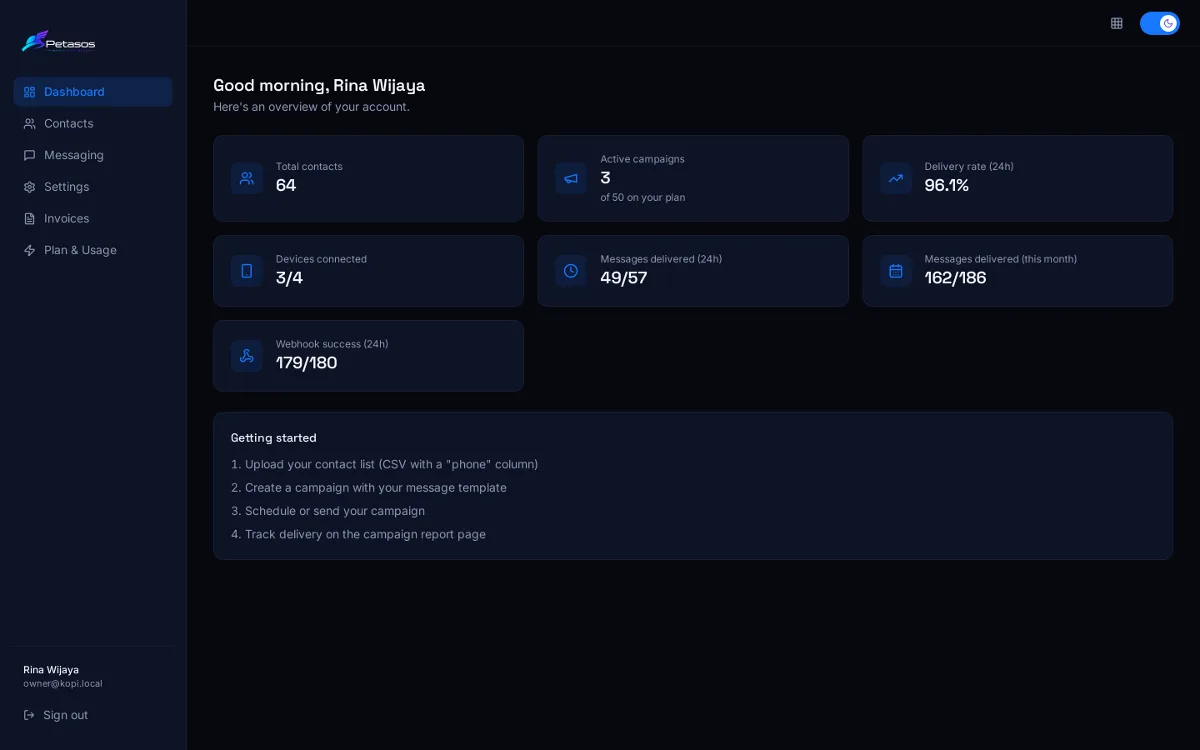
The Petasos dashboard: 64 contacts, 3 active campaigns, a 96% delivery rate and 3 of 4 devices connected
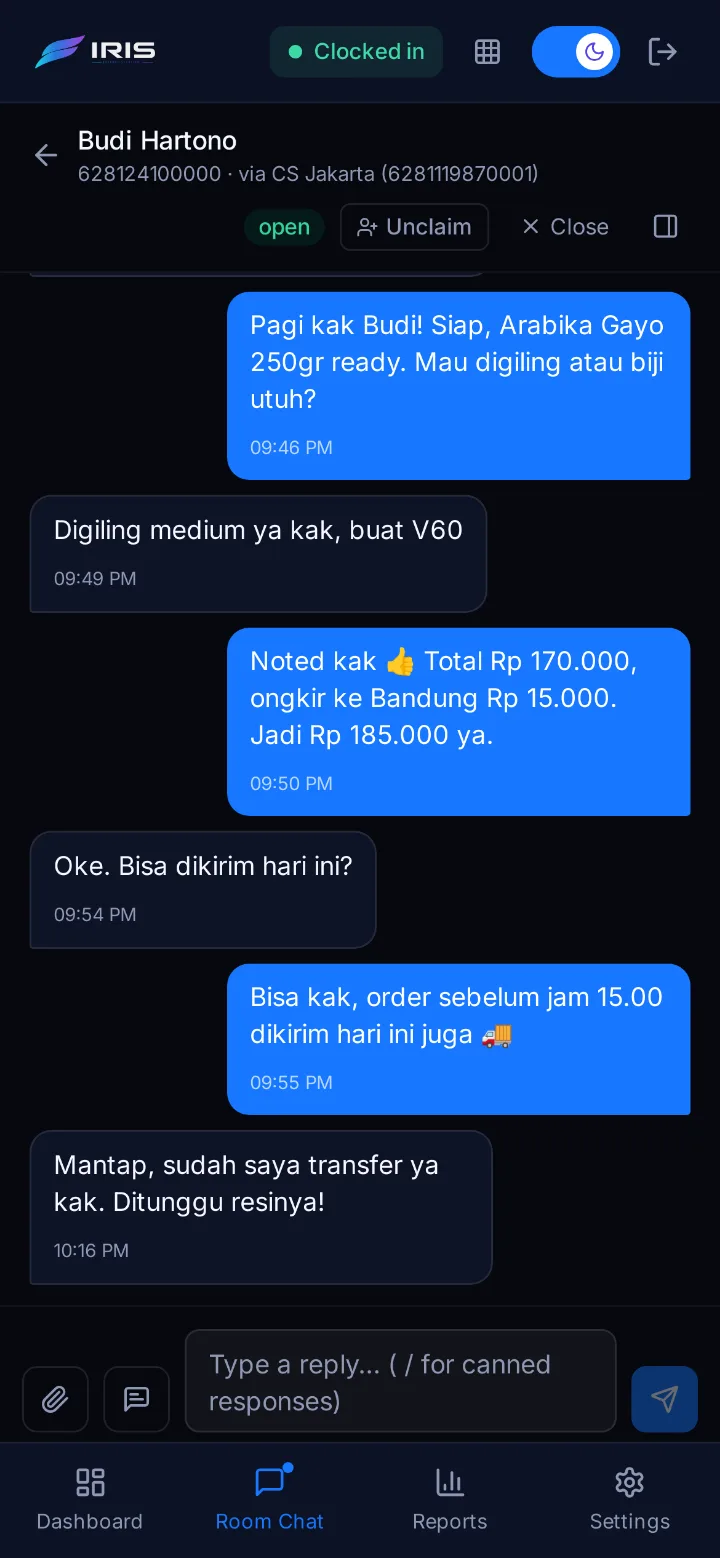
Iris on a phone: an agent's WhatsApp conversation with a customer about an order
  • Campaigns
  • Schedules & repeats
  • Device failover
  • Trace IDs
  • Signed webhooks
  • Shared inbox
  • Canned replies
  • Response reports
  • REST API
  • Opt-out handling
  • Contact labels
  • Images & PDFs

The platform

Two apps. One wingspan.

Petasos and Iris run on the same contacts, numbers and team. Sign in once and hop between them from the app switcher — no second password, no second contact list.

Petasos

Messaging solution

Broadcast with precision — and know exactly what landed.

  • Campaigns from labels, a CSV upload or your own API
  • Templates personalised with {name}, {city} or any field
  • Send now, schedule, or repeat daily and weekly
  • Status of every message, with a trace ID

Explore Petasos

Iris

Support solution

Every conversation, handled together — and nobody left on read.

  • One team inbox: Unassigned, Handling, Closed
  • Claim, assign and close a chat in one click
  • Type / for saved replies
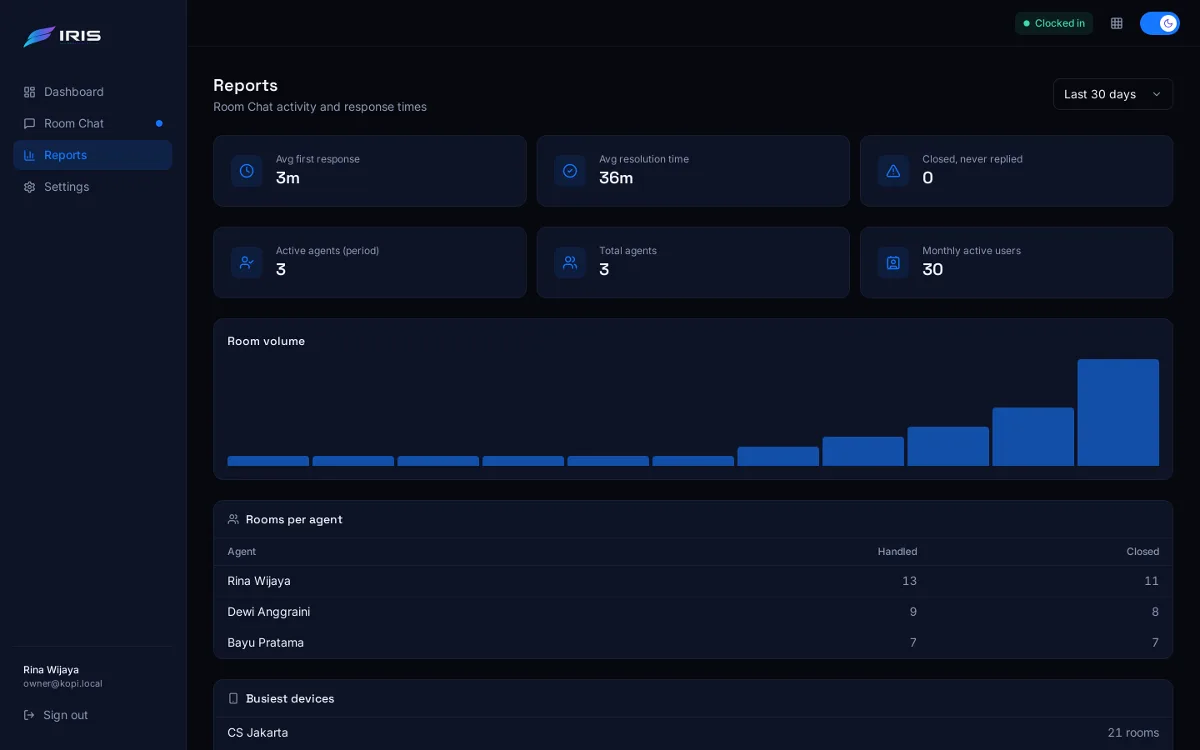
  • First-response and resolution times, plus rooms per agent
Explore Iris

Petasos · Messaging

Campaigns that land — and prove it.

From a fifty-person promo to a fifty-thousand-recipient broadcast, Petasos handles the sending, the pacing and the paperwork. Take a look around.

Petasos dashboard with contact, campaign, delivery-rate, device and webhook tiles
Your account at a glance. Contacts, active campaigns, the 24-hour delivery rate, connected numbers and webhook health — the numbers that matter, the moment you sign in.

How it works

Your first campaign in four steps.

No developers required. Here's the whole journey, from a fresh account to a delivered message.

  1. 01

    Connect your WhatsApp number

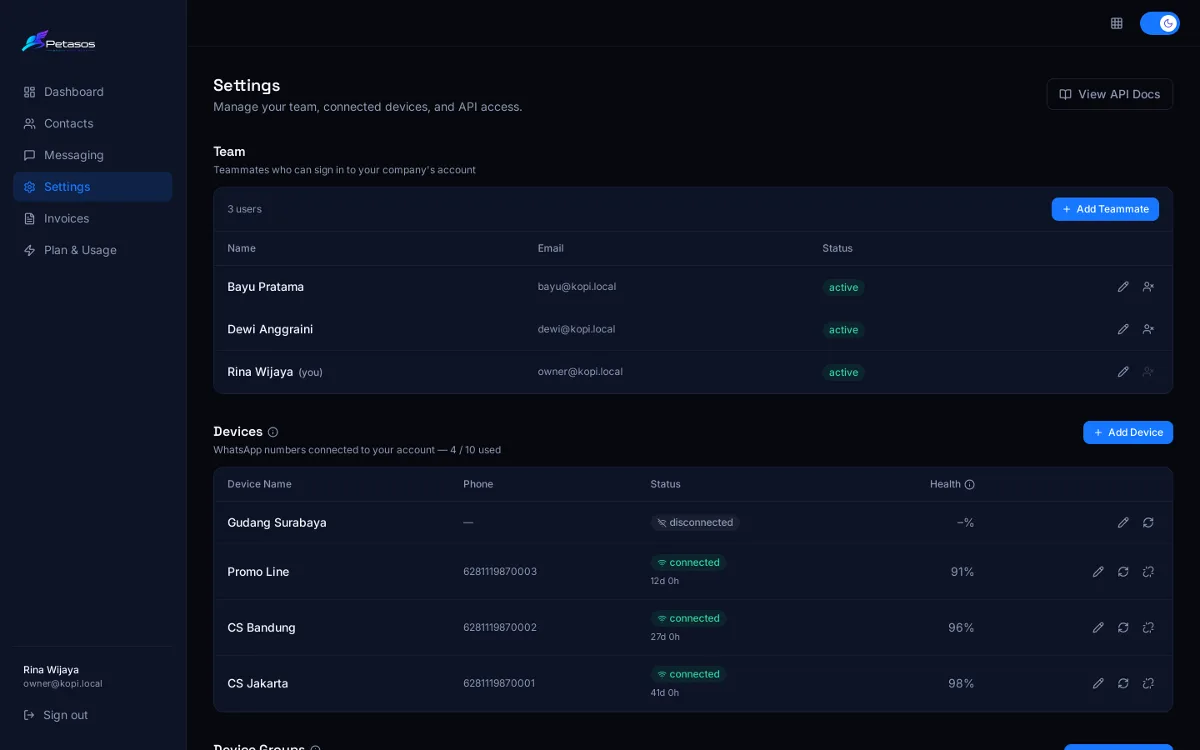
    Add a device, then link it by scanning a QR code or entering a pairing code on your phone — just like linking WhatsApp on a laptop. Group several numbers together and traffic fails over between them on its own.

    QR code or phone-number pairing

  2. 02

    Bring your contacts

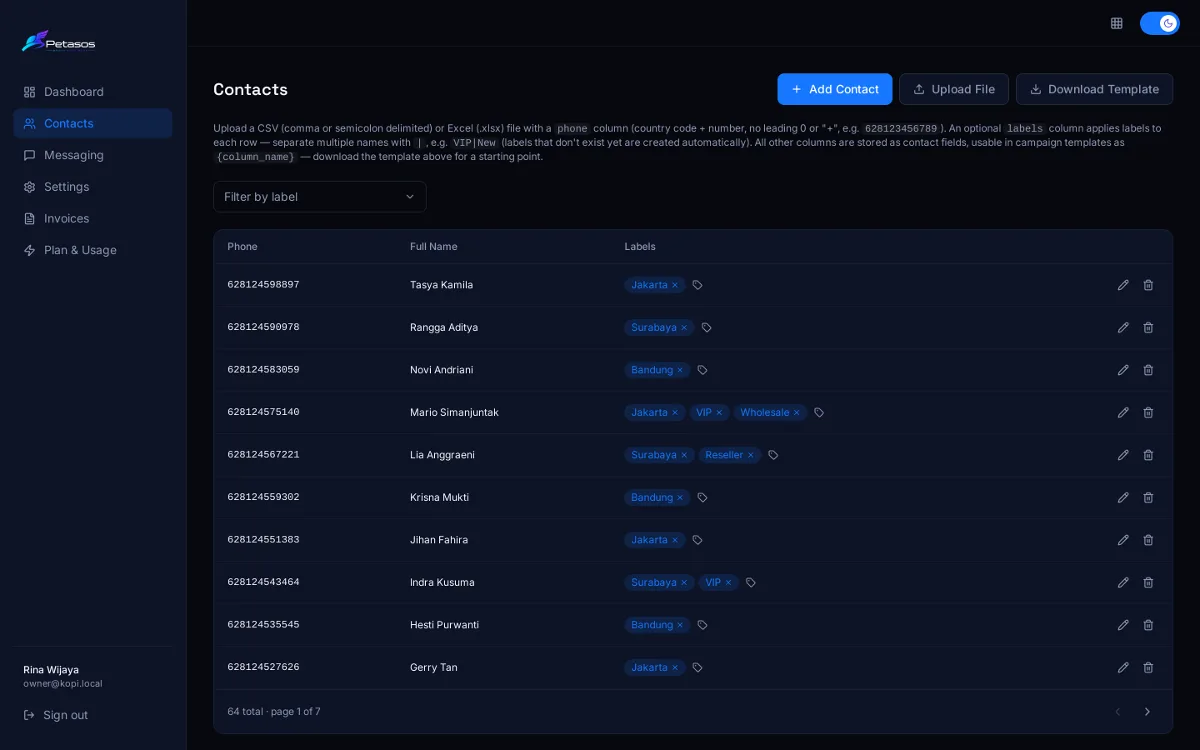
    Upload a CSV or Excel file with a phone column — every other column becomes a field you can use in templates. Add a labels column and Petasos creates the labels for you.

    CSV, XLSX · comma or semicolon

  3. 03

    Write the message once

    Choose a number or a device group, pick labels or individual contacts, and write your template with {variables}. Attach an image or PDF if you like — everyone gets their own personalised copy.

    Live 1,200-character counter

  4. 04

    Send, schedule — then watch it land

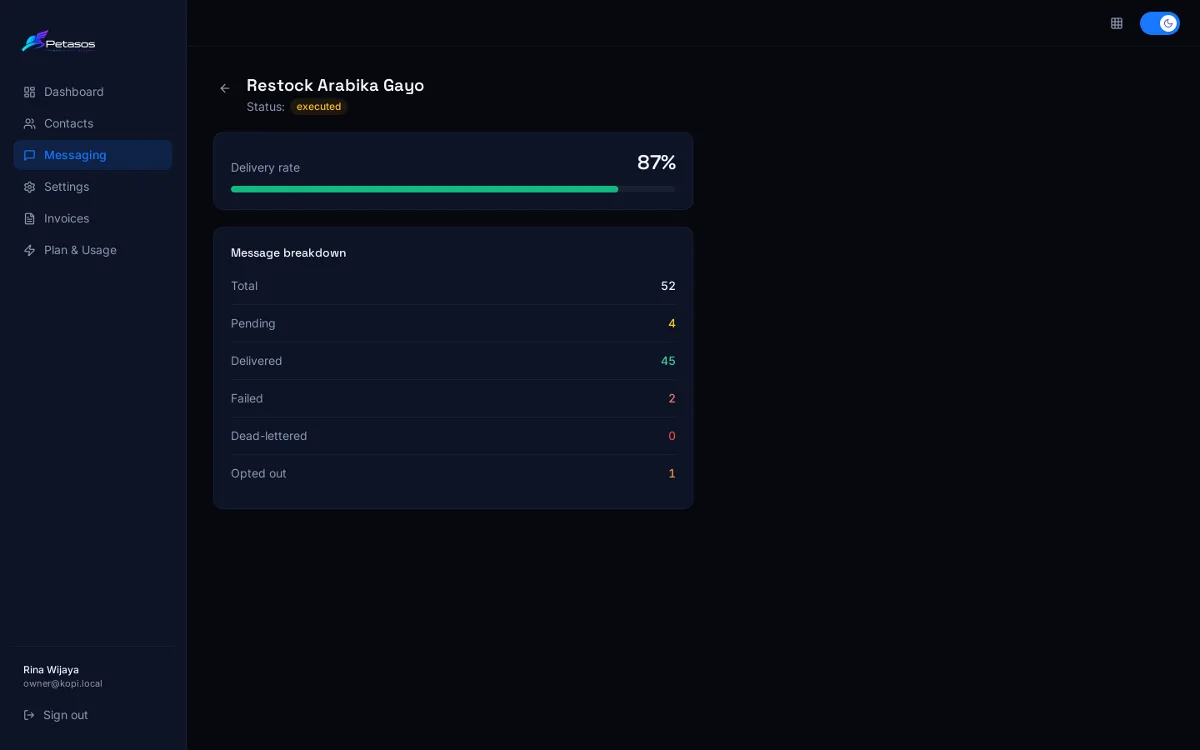
    Run it now, schedule it for later, or repeat it every Friday at 10:00 WIB. The campaign report fills in as messages are delivered and read, and failed sends retry by themselves.

    Daily or weekly repeats

Connected WhatsApp numbers in Petasos settings
Contacts page with the Upload File button
New campaign form with a template using {name} and {city}
Campaign report with delivery rate and message breakdown

Under the wings

Built to keep messages moving.

The unglamorous parts — routing, retries, pacing and consent — are handled for you, on every send.

Device groups that fail over

Pool several numbers with failover or round-robin. If a send fails on one number, it moves on to the next connected one before it ever gives up.

A trace on every message

Each message carries a trace ID through the queue, WhatsApp and your webhooks, so “did it arrive?” has an answer.

Humanize pacing

Read receipts, a typing indicator and a pause sized to the message before each send — so your messages arrive at a natural pace. On plans that include it.

Schedules that repeat

Send now, schedule for later, or repeat daily or on the weekdays you choose. “Run now” fires the next cycle early.

Consent, respected

Contacts who reply with an opt-out keyword are opted out of your account, and every campaign and API send checks before it goes.

Retries without the babysitting

A failed send waits and tries again on its own, with growing delays, before a message is marked failed. Nobody has to sit and press “resend”.

Usage you can see

Live meters for numbers, messages, contacts and Iris seats on your plan — and an upgrade request is one click away.

Iris · Support

One inbox for every
WhatsApp conversation.

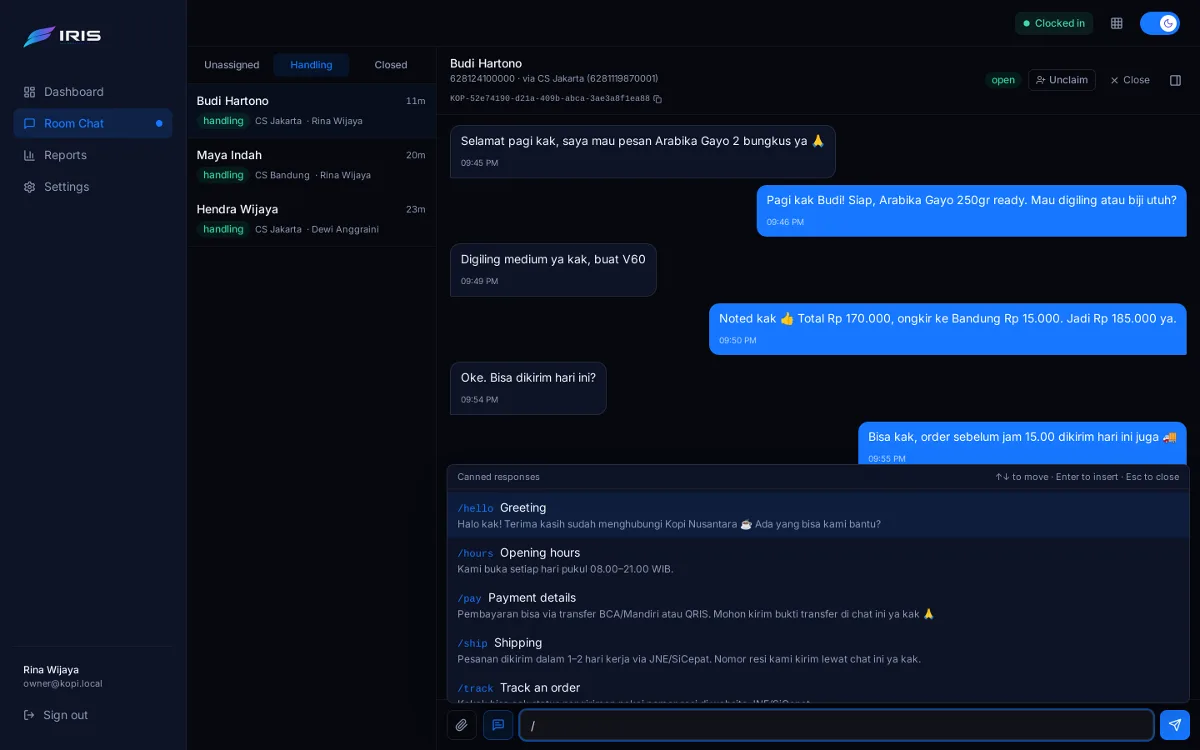
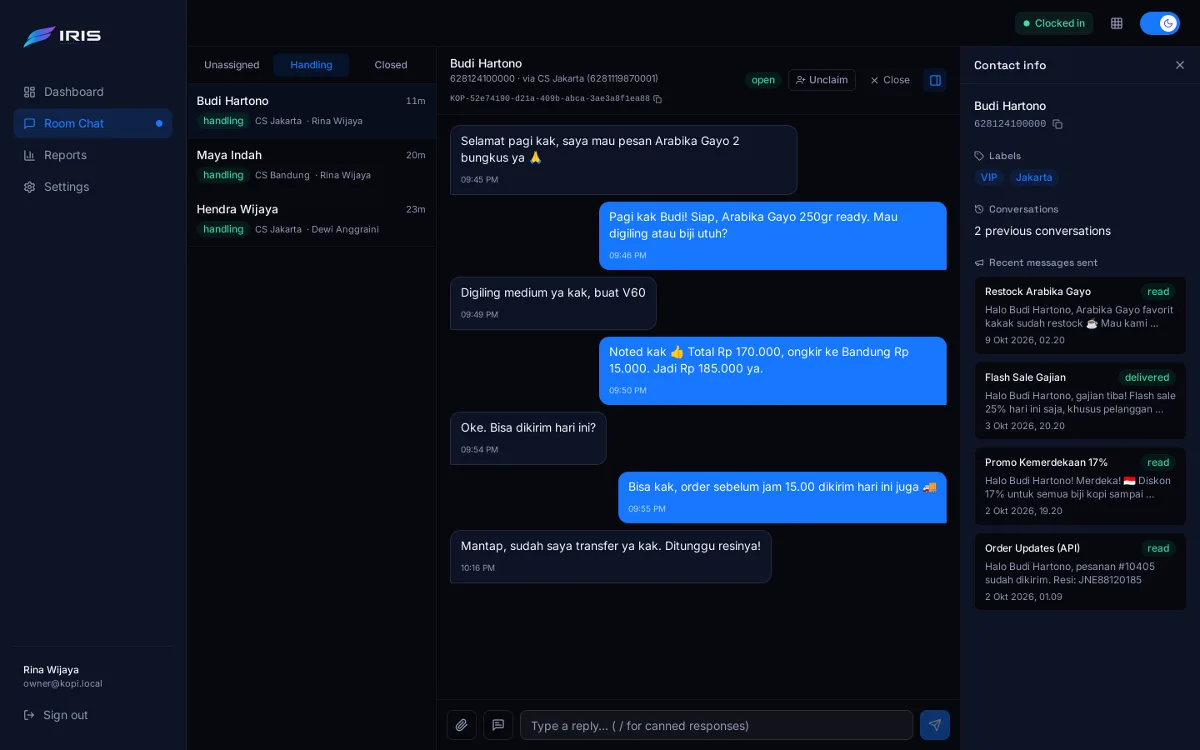
Iris gives your whole team a shared, real-time inbox on the same numbers you send campaigns from. Nobody double-replies, and nobody gets left on read. Watch a chat go from hello to resolved:

  1. 1

    A customer writes in

    New chats land in Unassigned for the whole team, with an unread badge and a chime.

  2. 2

    Claim it

    One click moves it to Handling under your name — teammates see it's taken.

  3. 3

    Reply with a /shortcut

    Type / to pick a saved reply. Ticks turn blue when it's read.

  4. 4

    Close it out

    Closed chats feed your reports: first response, resolution time and rooms per agent.

Animated demonstration of Iris: a new WhatsApp chat arrives in the Unassigned tab, an agent claims it, answers with the saved reply “/ship”, the customer replies, and the agent closes the room.

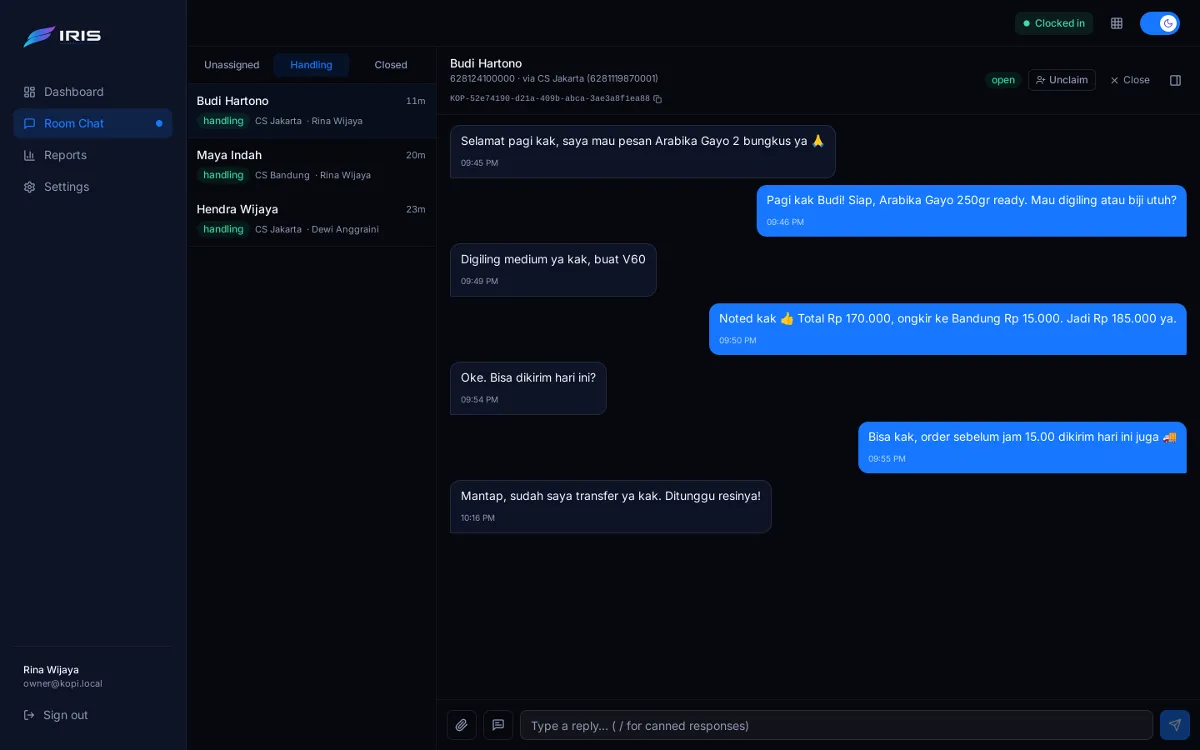
An Iris conversation between an agent and a customer ordering coffee
Conversations, in real time. New messages, read ticks and assignments push live to every agent. Images, documents and stickers work both ways.
Iris on a phone
Works on your phone, too.
  • Clock in, clock out

    Clocked-out agents can't reply, and their open chats go back to the queue.

  • Auto-close

    Idle chats close on their own; the next message opens a fresh room.

  • Reconnect catch-up

    When a number reconnects, recent unanswered chats are pulled into the inbox.

  • Add to contacts

    Name a new chatter and they join your Petasos contacts, ready for campaigns.

  • Group chats

    Answer WhatsApp groups from the same inbox, when enabled for your account.

  • Live everywhere

    Unread badge, chime and instant updates across every open tab.

Developers

An API that behaves the way you'd hope.

Fire messages from your order system, read their status back, and answer chats from your own tools — over a plain REST API with an OpenAPI spec and a Postman collection.

  • Idempotent writes. Send an Idempotency-Key and a retried request is replayed, not re-sent.
  • Errors you can branch on. A stable error_code on every error and an X-Request-Id on every response.
  • Signed webhooks. Status and chat events, HMAC-SHA256 signed and retried on failure.
  • Locked-down keys. Shown once, stored only as a hash, scoped per app — plus an optional IP allowlist.

API access is included on plans that enable it.

# Send one personalised message from an API campaign
curl -X POST https://api.petasos.id/v1/campaigns/$CAMPAIGN_ID/messages \
  -H "X-API-Key: $PETASOS_API_KEY" \
  -H "Idempotency-Key: order-10482-shipped" \
  -H "Content-Type: application/json" \
  -d '{
    "phone": "+628123456789",
    "variables": { "name": "Andi", "order": "#10482", "resi": "JNE8812" }
  }'
HTTP/1.1 201 Created
X-Request-Id: 7c1e…  X-RateLimit-Remaining: 299
{
  "success": true,
  "data": { "trace_id": "KOP-3f9a2c1e-…", "status": "queued" }
}

Trust

Your customers' data stays yours.

  • Walled off per account

    Every request is scoped to your account by the credentials it carries — never by what's in the request.

  • Secrets kept secret

    Passwords are bcrypt-hashed, API keys are stored only as hashes, and repeated failed logins are locked out.

  • Verifiable delivery

    Webhooks are signed with your own secret, and every attempt is logged for you to inspect.

  • Never sold

    We don't sell contact data or message content, and we don't use your contacts for our own marketing.

FAQ

Questions, answered.

Something else on your mind? Get in touch — a real person will answer.

How do I get an account?

Accounts are set up by our team — there's no self sign-up. Email us and we'll create your workspace, put you on the right plan and help you connect your first numbers. After that, you can invite your own teammates.

How do I connect a WhatsApp number?

Each number is a “device”. Open it in Settings and link it by scanning the QR code with WhatsApp on your phone, or by entering a pairing code — the same way you'd link WhatsApp on a computer.

What happens if a number disconnects?

Put your numbers in a device group and messages fail over to the next connected number. Failed sends also retry on their own. When the number comes back, recent unanswered chats are pulled into Iris so nobody gets missed.

Do Petasos and Iris share my contacts?

Yes. They share one login, one team and one set of contacts and numbers. In Iris you can see the last campaign messages a contact received, and one click adds a new chatter to your Petasos contacts.

How are opt-outs handled?

When a contact replies with an opt-out keyword, they're opted out of your account. Every campaign, broadcast and API send checks that before it goes out, and skipped messages show up in your reports.

Can I send from my own system?

Yes — create an API campaign and send messages one at a time, or broadcast to a label, through the REST API. Status changes come back to you by webhook, and Iris has its own Rooms API for replying to chats. API access is part of plans that include it.

How does billing work?

Every account is on a plan that sets its limits — numbers, messages, contacts and Iris seats. Invoices (in Rupiah by default) appear in your Petasos dashboard. Need more room? Request an upgrade from the Plan & Usage page and our team approves it.

Which time zone do schedules use?

Western Indonesian Time (WIB). Scheduled and repeating campaigns, send limits and billing periods all run on WIB.

Get started

Ready to take flight?

Tell us about your team and how you use WhatsApp. We'll set up your account, your plan and your first numbers — usually in a single conversation.

Email us

Already a customer? Log in to Petasos Log in to Iris